> For the complete documentation index, see [llms.txt](https://update.totlelab.com/llms.txt). Markdown versions of documentation pages are available by appending `.md` to page URLs; this page is available as [Markdown](https://update.totlelab.com/update-for-jan-2026/iso-27001-27701.md).
# 🏆토틀, ISO 27001 · 27701 보안 인증 취득
“고객님의 소중한 데이터, 글로벌 수준의 체계로 더 안전하게 보호합니다.”
토틀, ISO 27001(정보보안경영시스템) 및 ISO 27701(개인정보보호경영시스템) 인증 취득
**'토틀'**이 정보보안 및 개인정보보호 분야의 가장 권위 있는 국제 표준인 **ISO 27001(정보보안경영시스템)**과 **ISO 27701(개인정보보호경영시스템) 인증을 공식 취득**했습니다.
### 📋 인증 세부 정보
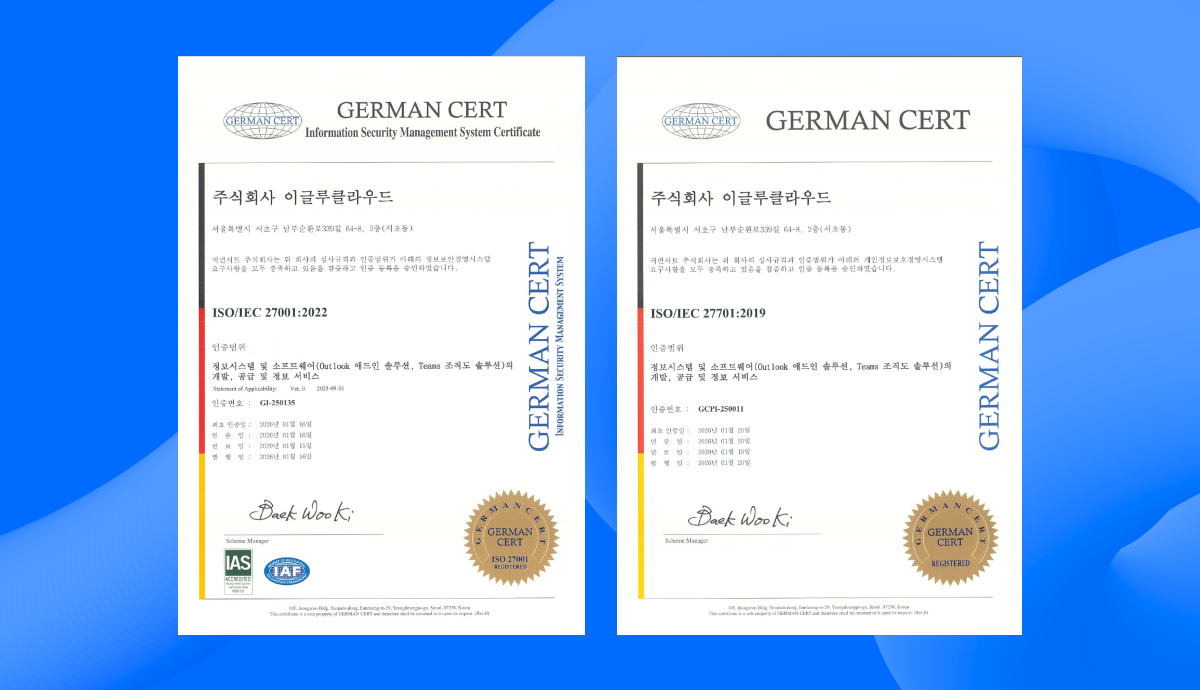
* **인증 표준**: ISO/IEC 27001:2022, ISO/IEC 27701:2019
* **인증 범위**: 정보시스템 및 소프트웨어(Outlook 애드인 솔루션, Teams 조직도 솔루션)의 개발, 공급 및 정보 서비스
* **인증 기관**: 저먼서트
* **인증 일자**: 2026.01.16 (ISO 27001), 2026.01.20 (ISO 27701)
### 🔐 이번 인증이 갖는 의미
ISO 27001과 ISO 27701은 전 세계적으로 인정받는 정보보안 및 개인정보보호 표준으로, 엄격한 심사 기준과 지속적인 관리 체계를 요구합니다. 이번 인증 취득은 토틀이 다음과 같은 역량을 갖추었음을 제3자 인증기관으로부터 공식 검증받았음을 의미합니다:
#### 정보보안 강화 (ISO 27001)
* 체계적인 보안 관리 프레임워크 구축 및 운영
* 정보자산에 대한 리스크 평가 및 통제 체계 확립
* 보안 사고 예방 및 대응 프로세스 구축
* 지속적인 보안 수준 모니터링 및 개선
#### 개인정보보호 강화 (ISO 27701)
* GDPR, 개인정보보호법 등 글로벌 개인정보 규제 준수
* 개인정보 수집·이용·보관·파기 전 과정의 투명한 관리
* 정보주체의 권리 보장을 위한 체계적 절차 마련
* 개인정보 처리에 대한 책임성 강화
### 🤝 고객 여러분께 드리는 약속
이번 인증은 단순한 형식적 취득이 아닌, 토틀이 고객 여러분의 데이터를 최우선으로 보호하기 위해\
기울여온 지속적인 노력의 결과입니다.
**토틀은 앞으로도**:
* 국제 표준에 부합하는 **보안 체계를 지속적으로 유지·개선**하고
* **최신 보안 위협에 선제적으로 대응**하며
* **고객 데이터 보호를 위한 투자와 노력**을 아끼지 않겠습니다.
앞으로도 토틀은 여러분이 안심하고 사용할 수 있는 신뢰할 수 있는\
비즈니스 메일 환경을 제공하기 위해 **보안과 개인정보 보호를 최우선으로 운영**하겠습니다.
**감사합니다.**
\
**토틀팀**